Selecting Languages for Auto-Translation During Import
Introduction
The Codeit Import Wizard allows you to import data files for categorisation. Sometimes the files you import will be in your own language so don't need any special handling.
Other times the files may be in a different language or contain multiple languages in a single file. This document outlines the language-related features in the import Import Wizard.
First, review the Supported Languages for Codeit Auto-Translation here. If you require translation of a language not listed, please contact Support.
Language Options
Towards the bottom of Step 3 in the Import Wizard you are given the option to define the language options for the import.
There are two options available to you:
-
Single Language
Use this option if all the records in your file are in the same language.
The default language for this option is "English", but you can change this to a different language using the "Language" selection.
-
Language Field
Use this option if your file contains records in multiple languages.
You can nominate a field in your file that denotes the language for each record.

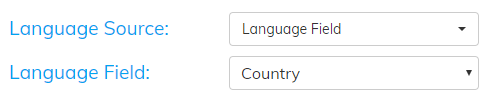
The values in your selected language field in the data file to be imported must match the "Language-Labels" defined in the Administration -> Languages section. You may create multiple Language-Labels entries for a specific language. Review Auto-Translating Data in Multiple Languages
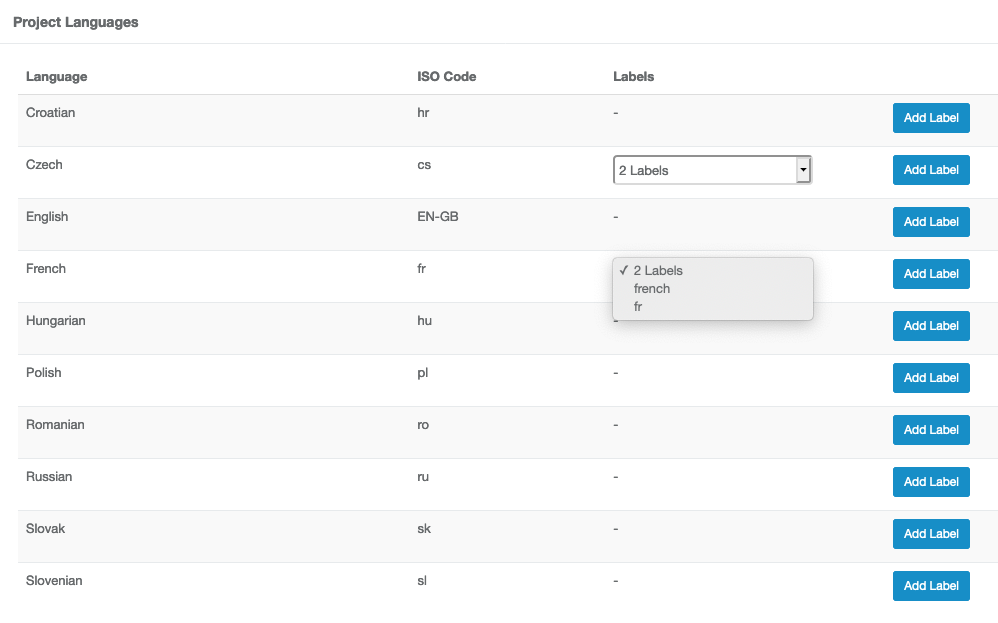
Optionally, you may assign custom Language-Labels within a specific project using the Languages Table under your project within the Administrator -> Projects -> Languages selection. Create/Edit/Delete any number of Language-Labels that are specific to the Project using the Labels drop-down selection.
Further reading: Defining Global Language Labels