Working with Other Specify questions
[This article applies to Decipher and SurveyToGo data links only]
Introduction
In Market Research surveys, "other specify" questions present a unique challenge from a data perspective.
The data collected from these questions can be either closed data (i.e. drawn from a fixed list of predefined responses) or open ended text data - or both.
Furthermore, different people have different requirements when it comes to coding the open ended data for these questions.
This article explains the options available in Codeit to load in "other specify" questions via a data link.
Example
To help the explanation below, let's start with an example. Suppose we ask the following question on a survey:
S5 - Which chocolate bars is your favourite?
- (1) Mars Bar
- (2) Snickers
- (3) Kit Kat
- (98) Other (Please Specify)
Notice that in this example, the respondent can select a single item from the predefined list or enter another brand under "Other".
Responses for "Other" are entered as free text, which generates verbatim data that typically requires coding in order to be analysed.
Let's suppose our question yields the following data:
| InterviewId | S5 | S5oe |
|---|---|---|
| 1 | (1) Mars Bar | |
| 2 | (3) Kit Kat | |
| 3 | (98) Other | Milky Way |
| 4 | (1) Mars Bar |
Here we can see that three respondents have picked one of the predefined list items and one has specified an "Other" response.
When using the data link wizard in Codeit, we have a few options if we want to pull in data for this question.
Source Variable
The first choice to make is which data should be pulled in as "source" data for coding.
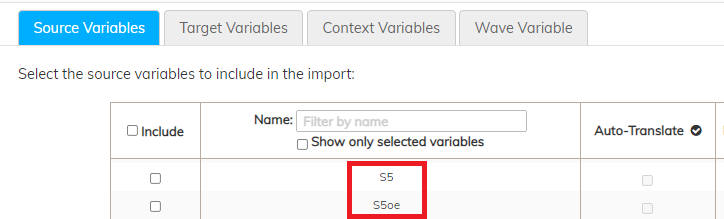
The data link wizard will show two variables that can be selected as a source variable:
| Variable | Description |
|---|---|
| S5 | This will load in all responses (i.e. both closed end and other specify) - In this example, 4 responses |
| S5oe | This will load in just the other specify responses - In this example, 1 response |
Which variable you pick depends on whether you want just the other specify responses in your coded output, or whether you want all responses regardless of whether they originated from the closed end question.
Target Variable
To create a coding task, you will need to pick a target variable to write your coded data into.
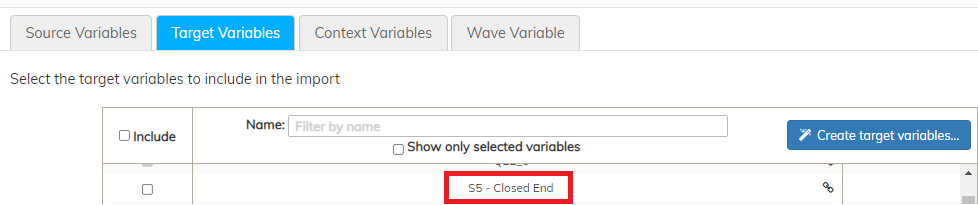
The data link wizard provides you with three options here:
| Question | Description |
|---|---|
| <New> | You can click the "Create Target Variables" button to create a new target variable with an empty codeframe |
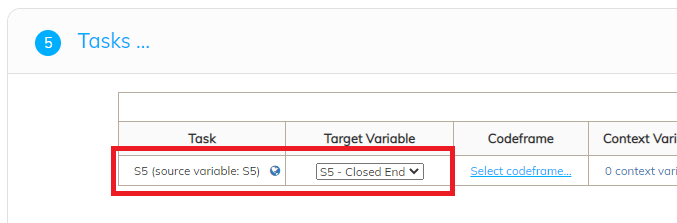
| S5 - Closed End | This will create a target variable in Codeit containing the codeframe from the closed end question (S5), with any closed responses imported. |
Mapping
Conclusion
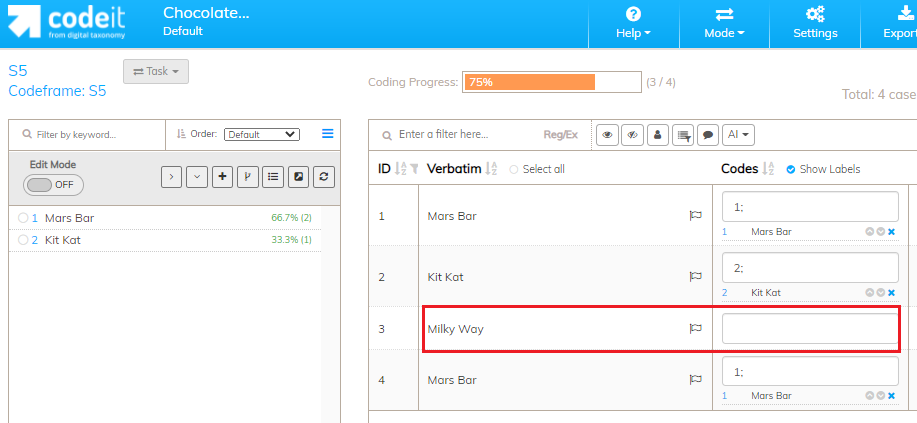
In our example, we see that the codeframe and closed end data has been imported from S5 along with the (uncoded) other specify values from S5oe: