Archiving a Project
Archiving projects allows you to tidy up the list of live Projects whilst keeping the Project undeleted in case you want to work on it at a later date.
It is a good alternative between keeping all projects Live and deleting projects.
Archived projects are not visible on the Project Dashboard and can not be modified.
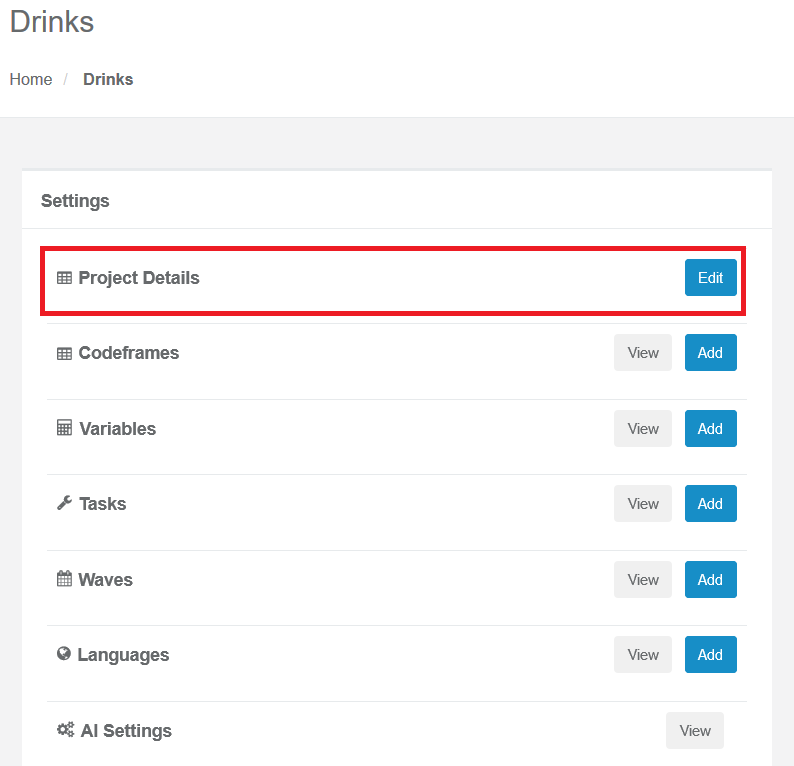
To archive a Project, go into Admin, then Project Details:
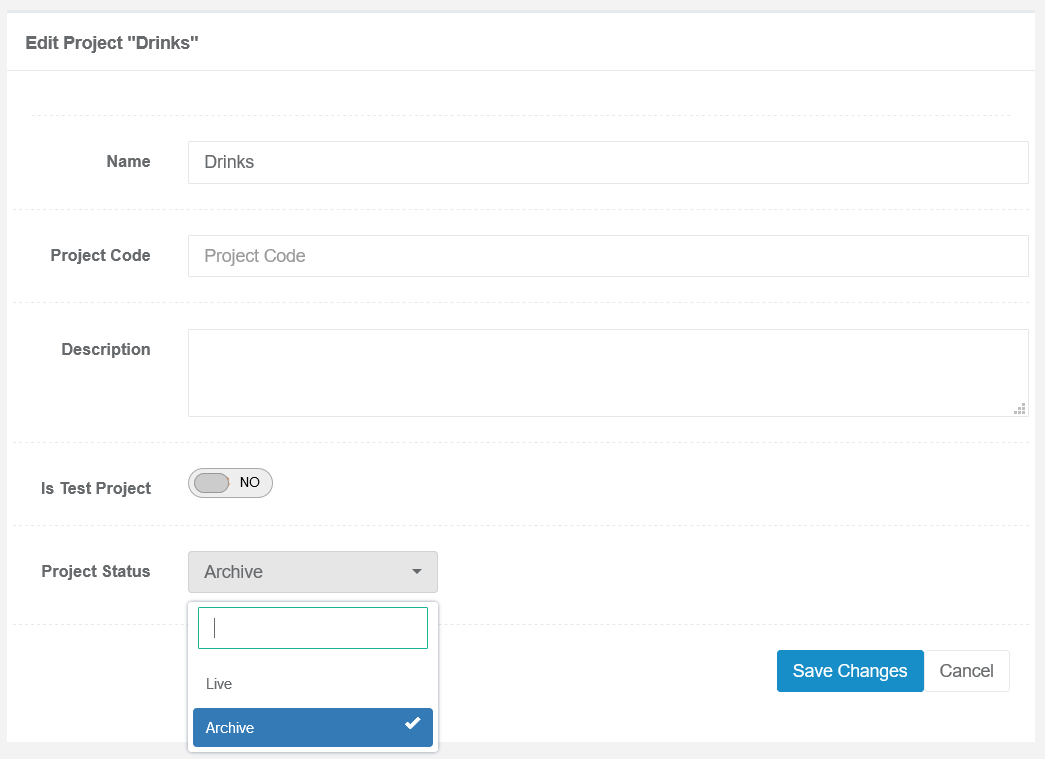
Set the Status to "Archived" and press Save:
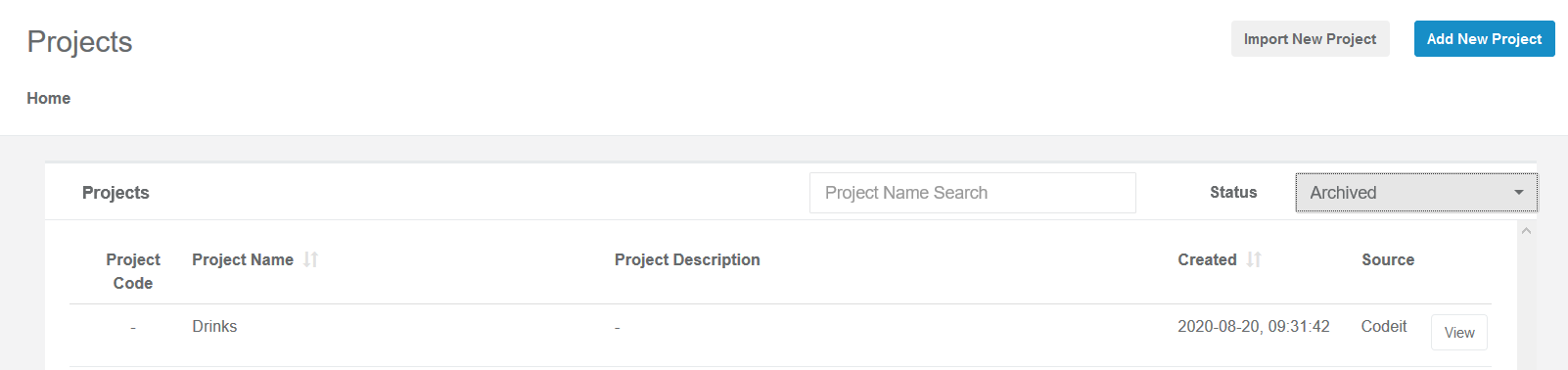
A list of archived Projects is shown in the Admin Projects page, by selecting the Status to "Archive":
If needed, the project can then be un-archived and brought back Live by following the same process.
It is a good alternative between keeping all projects Live and deleting projects.
Archived projects are not visible on the Project Dashboard and can not be modified.
To archive a Project, go into Admin, then Project Details:
Set the Status to "Archived" and press Save:
A list of archived Projects is shown in the Admin Projects page, by selecting the Status to "Archive":
If needed, the project can then be un-archived and brought back Live by following the same process.