Adding Context Variables to a Task
Introduction
When coding data through Codeit, it might often be necessary to see contextual information alongside the data in order to code accurately. This article outlines the process of adding context variables to a task in Codeit.
How to add a context variable to a task
From the Project Dashboard, click the name of the project that contains the task you wish to modify:

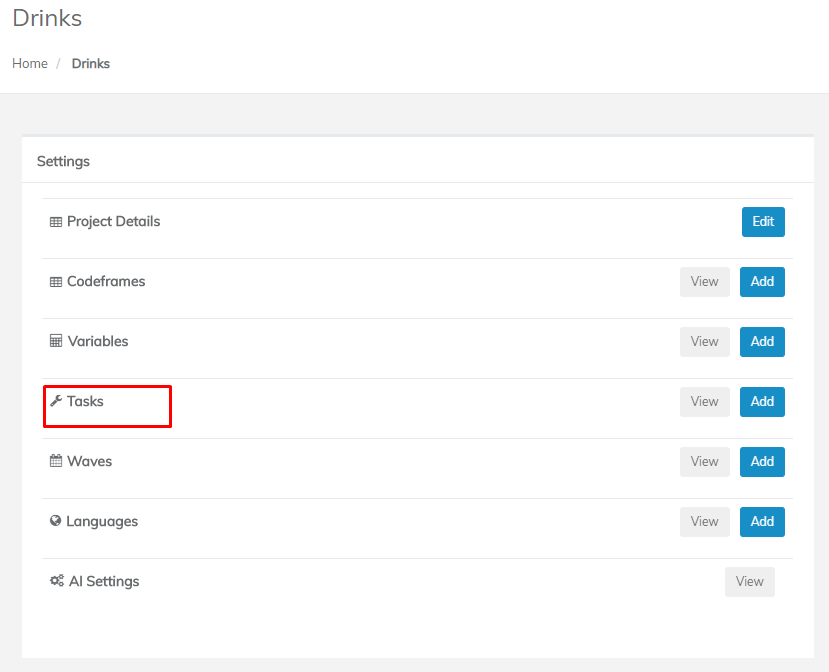
Click the 'Tasks' entry in the Settings menu:
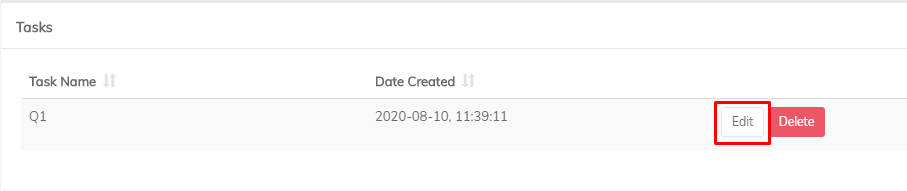
Click 'Edit' for the task you wish to add a context variable to:
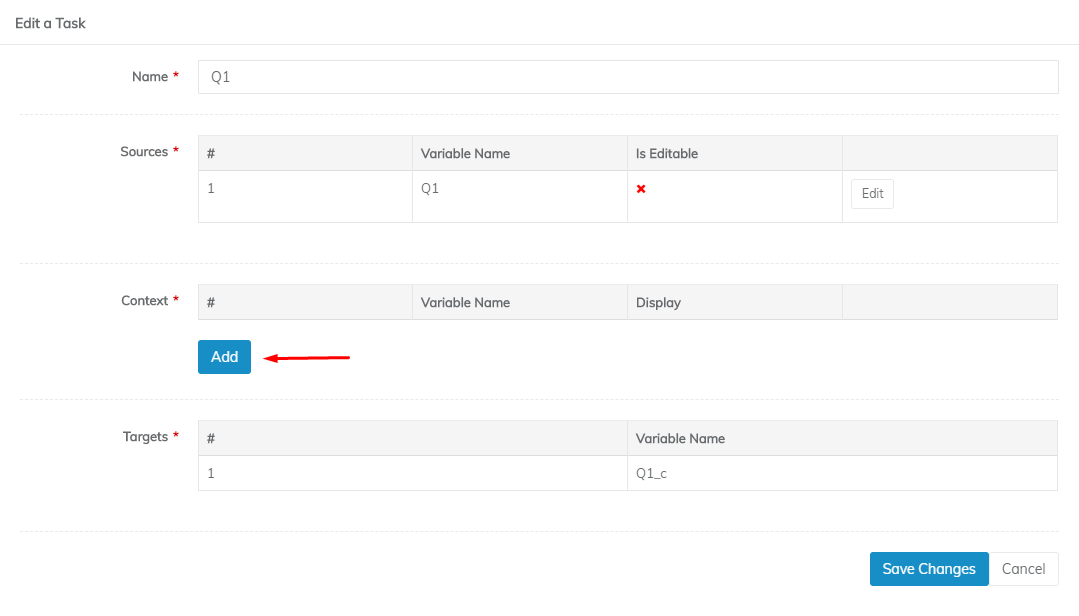
Click the 'Add' button next to the Context entry:
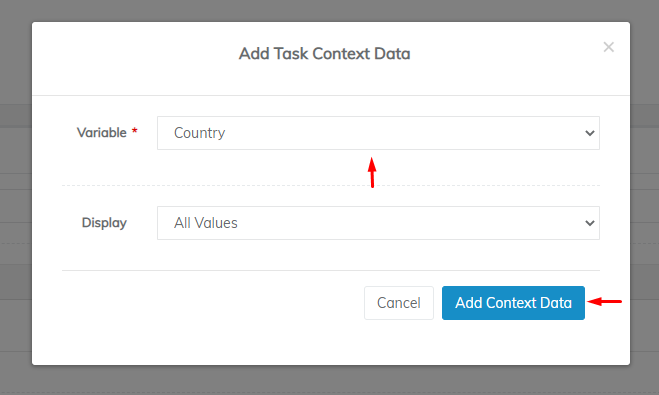
Select a context variable in the 'Variable' dropdown and click the 'Add Context Data' button:
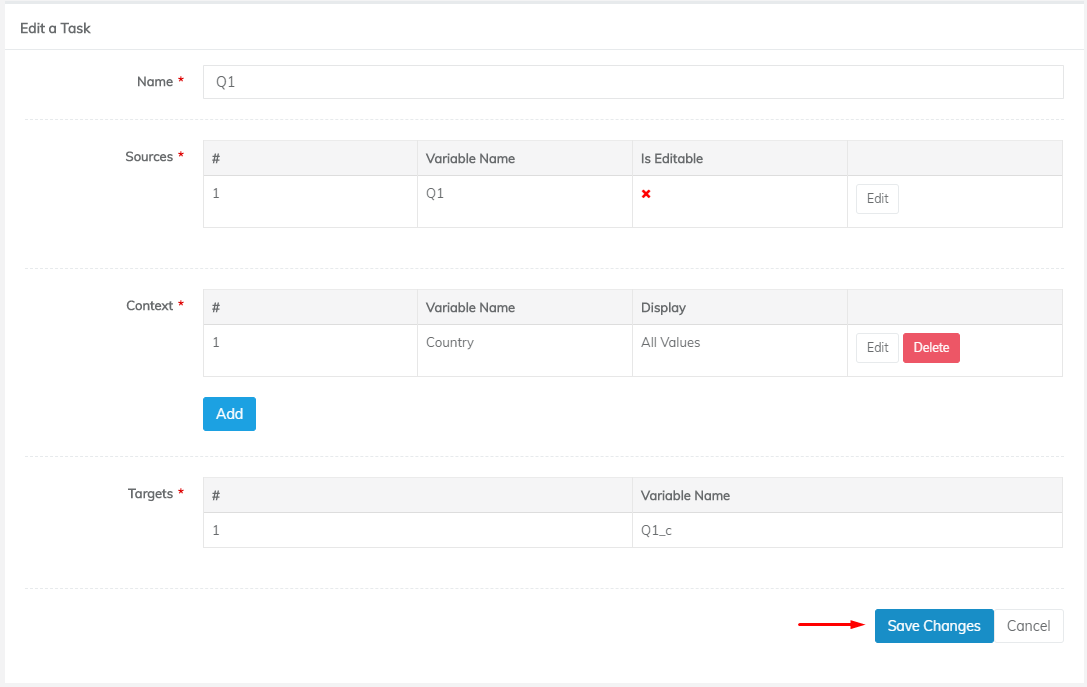
Repeat the above steps for as many context variables as you wish to add. When you've finished, click 'Save Changes':
Now, when you go to code the task which you've just modified, you should see a new column next to the data you are coding:
