Using Waves When Importing Data
Introduction
When importing data, Codeit offers the ability to import data in 'waves'. This article explains the concept of waves and why you might like to use them when importing your data into Codeit.
Why might waves be used?
Consider the following example. A museum carries out a monthly survey asking visitors to give feedback on their visit. In this example, visitors are identified by their Respondent ID (RID).
| RID | Q1 | Month |
| 1 | Great collection of items | March |
| 2 | Long wait times | March |
Importing a file like this into Codeit every month would be perfectly acceptable and everything would work fine.
However, consider the fact that the museum may receive repeat visitors and the data for a later month may look like this. The visitor with the RID '1' who visited in March has also visited in July:
| RID | Q1 | Month |
| 1 | The new Egyptian exhibit was quite disappointing | July |
| 5 | Well worth the price | July |
In this situation, if data was not imported into Codeit with consideration for waves, the respondent's July response would overwrite their March response which would result in data loss.
However, using waves, the data above can be added to Codeit in waves based on months.
When creating a new project, a new wave is created by default called 'Default':

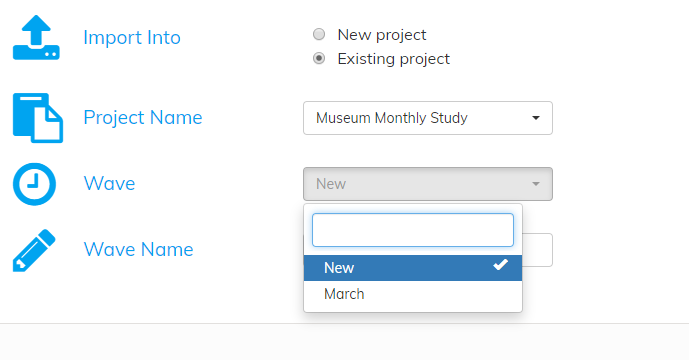
When importing data to an existing project, you have the option to import data into an existing wave or a new wave:
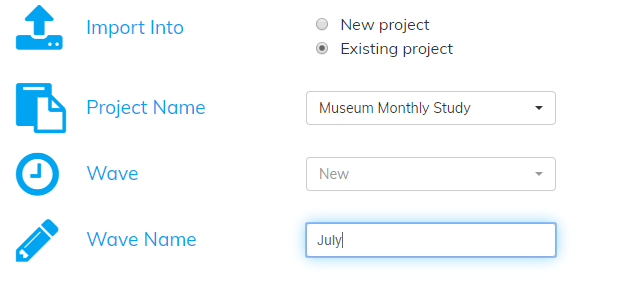
Following the example data from above, a 'July' wave will be created to contain the data collected in July:
After the import process, two waves within the 'Museum Monthly Study' should now be visible:

Within block coding, we should see that the responses given by the visitor with the respondent ID '1' is available in both the March and July waves:

