Creating a new User
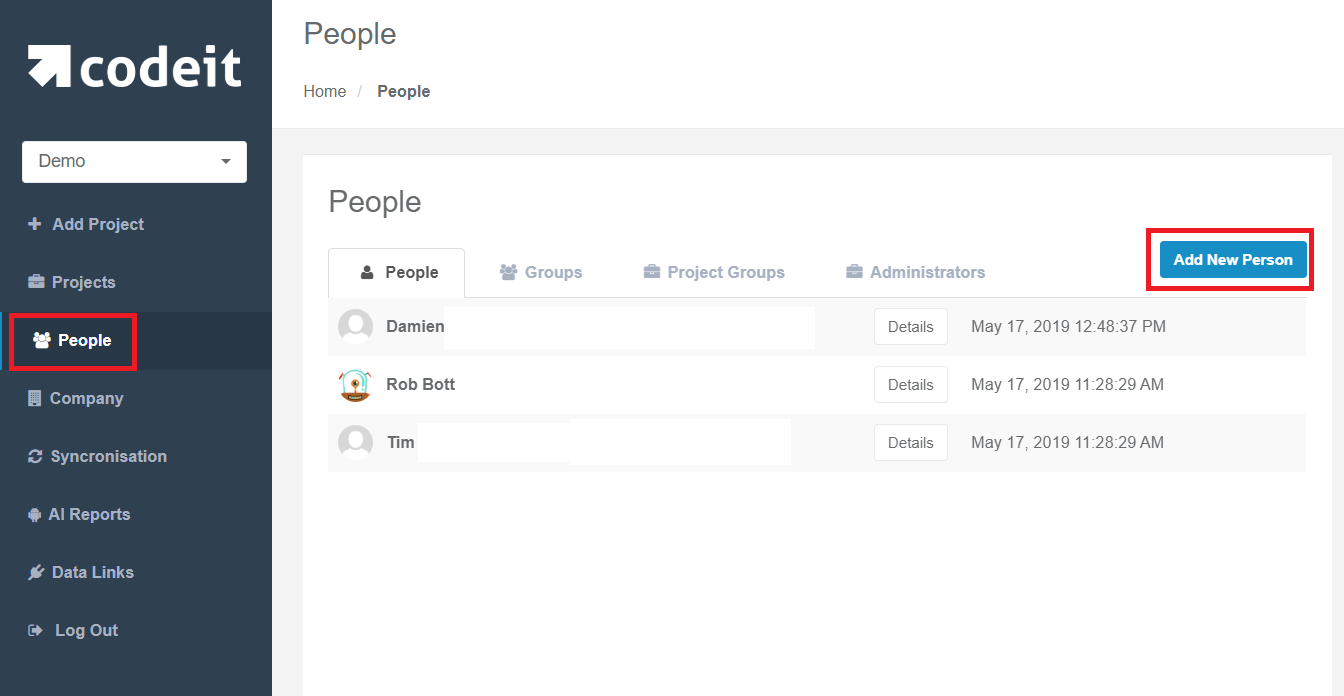
To Create a new user, go to Admin, select People, finally click "Add New Person"
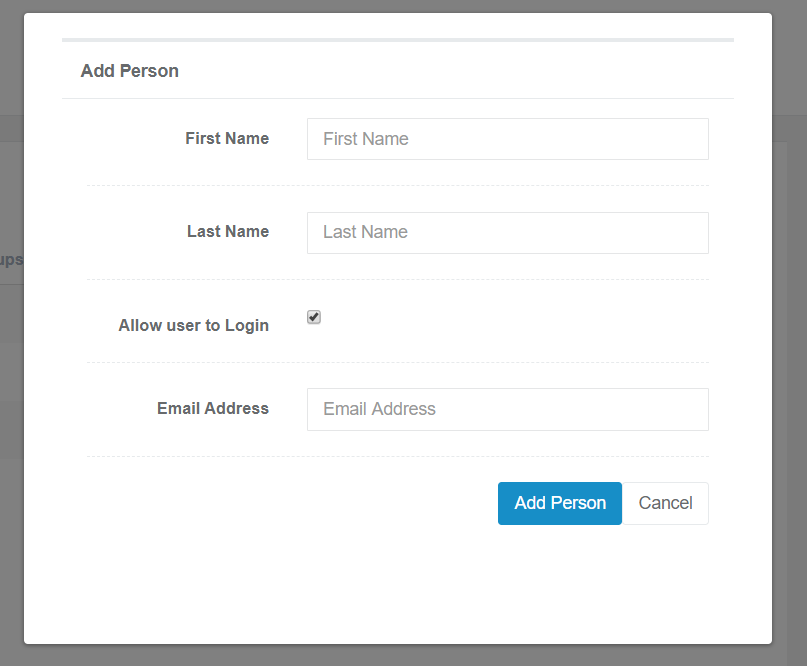
Here you can specify a few options such as:
- First and Last names
- Allow user to login: you can create personal accounts or create a generic account - for example to use the API-.
- Email
Once a person has been added, they should receive an email with an activation link.
- First and Last names
- Allow user to login: you can create personal accounts or create a generic account - for example to use the API-.
Once a person has been added, they should receive an email with an activation link.