Overriding a variable Language in a Data Link
Introduction
When using a Data Link, we use the default language for each respondent (if available) defined in the survey platform.
If the Language of a survey for each respondent is not defined or is not available, we use English by default.
Overriding the Language
Using the Data Link setup, it is possible to override this language mechanism and set the language for a specific variable.
We will then use this language instead of the respondent language for various downstream tasks such as generating word clouds for this variable.
To set a specific variable language variable:
During the Data Link wizard process, click on the blue globe (Step 5 - Mapping)
Using the Data Link setup, it is possible to override this language mechanism and set the language for a specific variable.
We will then use this language instead of the respondent language for various downstream tasks such as generating word clouds for this variable.
To set a specific variable language variable:
During the Data Link wizard process, click on the blue globe (Step 5 - Mapping)
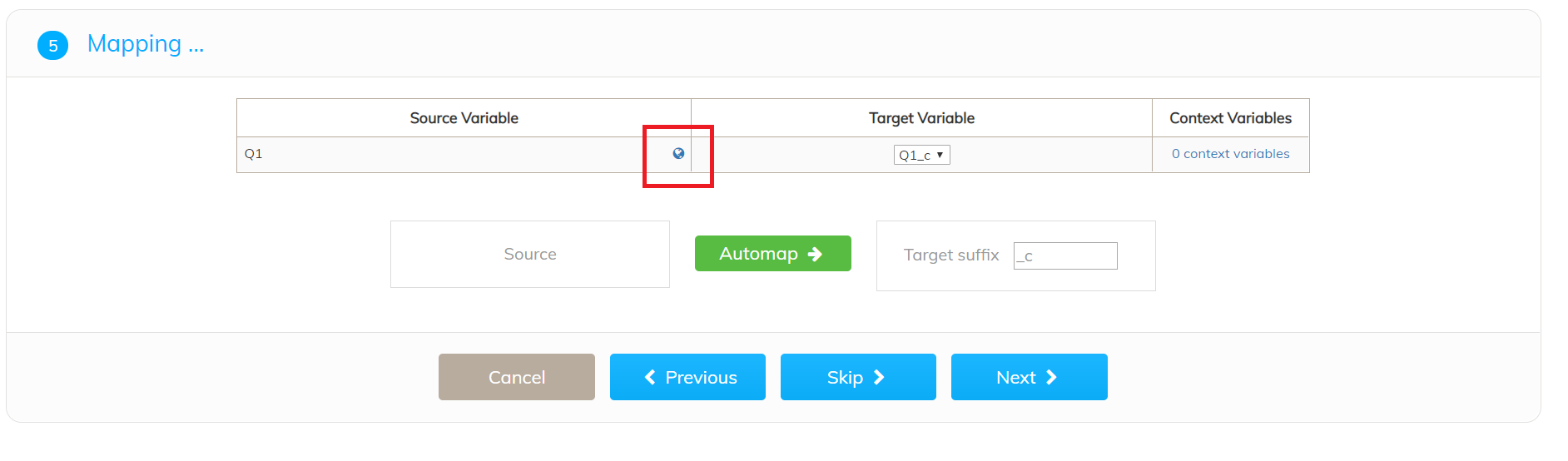
You can then select a Variable Language
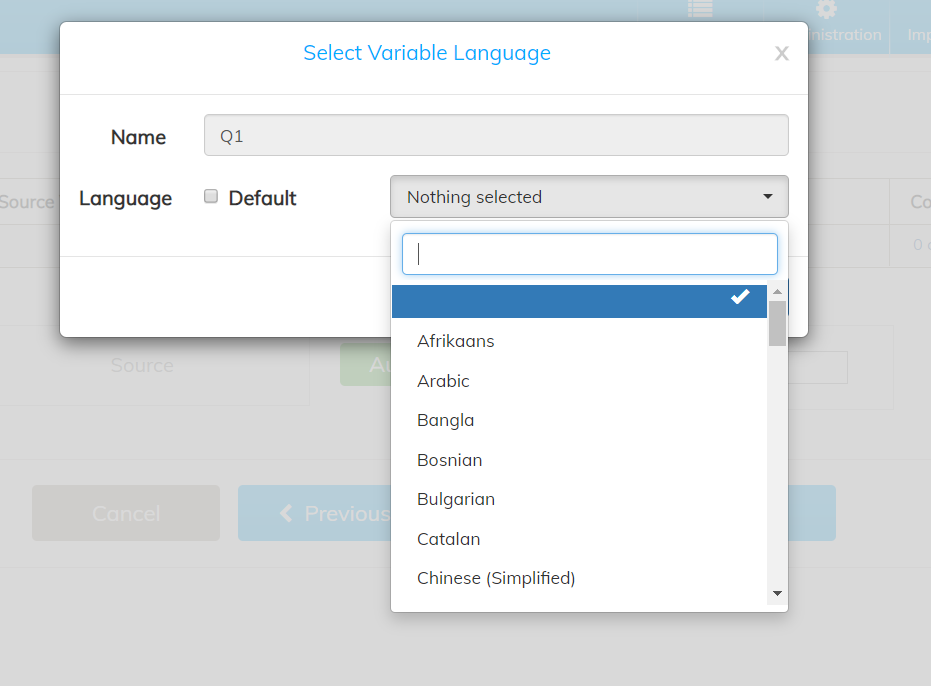
This Language will then be used when generating the word clouds for example for this variable.