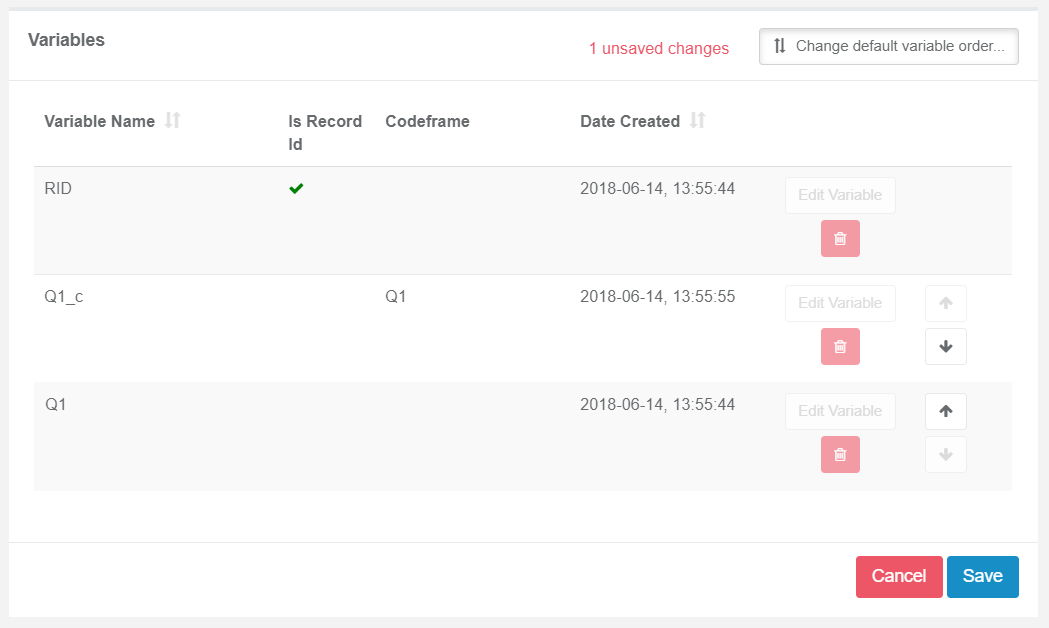
Specifying the Export order
When exporting data from Codeit, it is sometimes necessary to specifically control the order of columns within the export.
In the Codeit "Export Wizard" - there are two options for controlling the export order of columns, as follows:
-
Default Order
The default order of columns is the order in which they appear in the Admin "Variables" list.
You can manually change this ordering to whatever layout you choose (see below).
-
Source/Target Paring
This ordering exports coded columns to the right of the source columns they relate to.
In this way, coded data is automatically interleaved within the export file.
Any columns (e.g. context variables) that are used as neither a source or target variable are appended to the end of the file.
Editing Default Export Order of Variables
It is possible in Admin to specify in which order the variables should be exported.
To do this, select a project in Admin, then Variables:
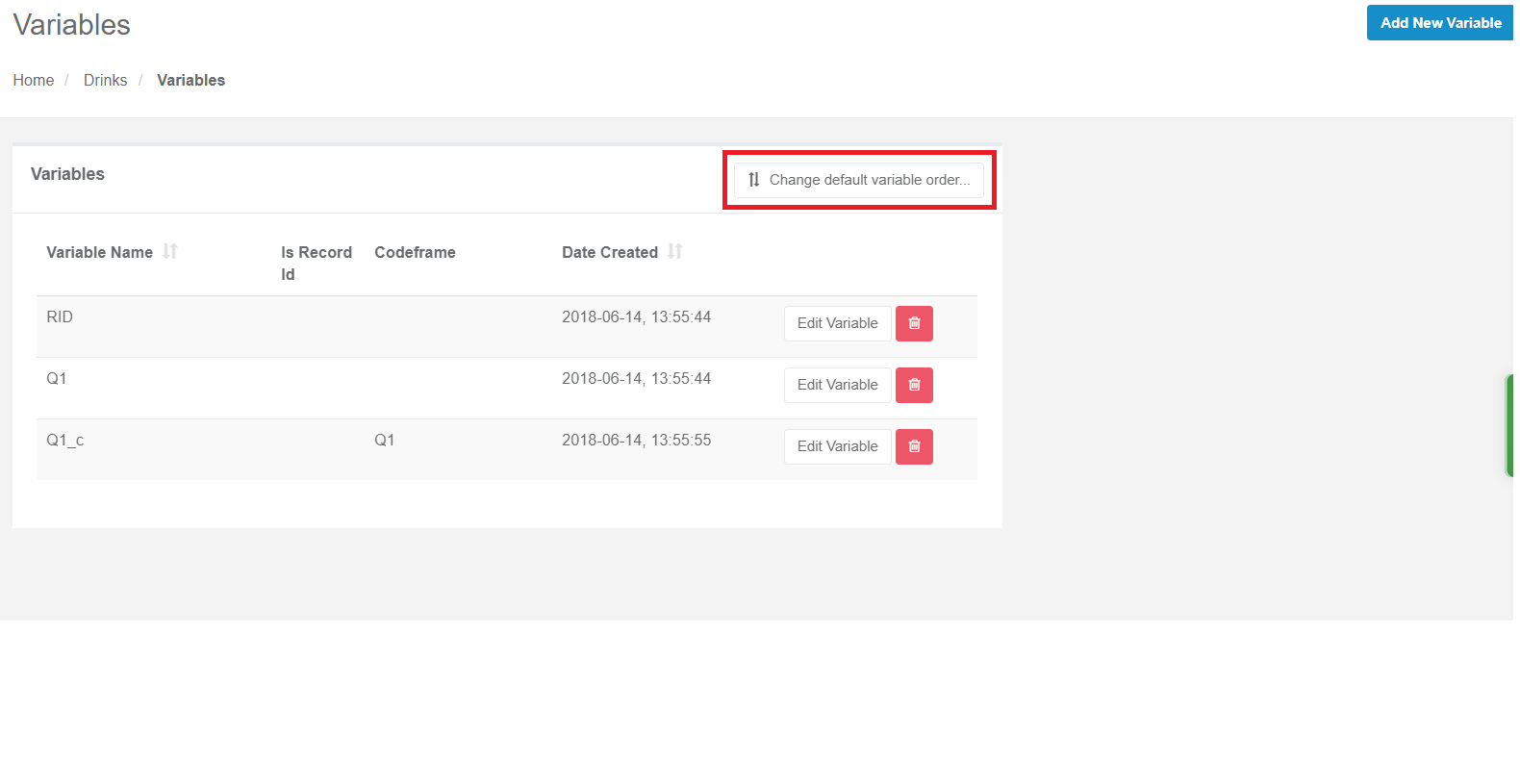
Click "Change default variable order"
It is possible in Admin to specify in which order the variables should be exported.
To do this, select a project in Admin, then Variables:
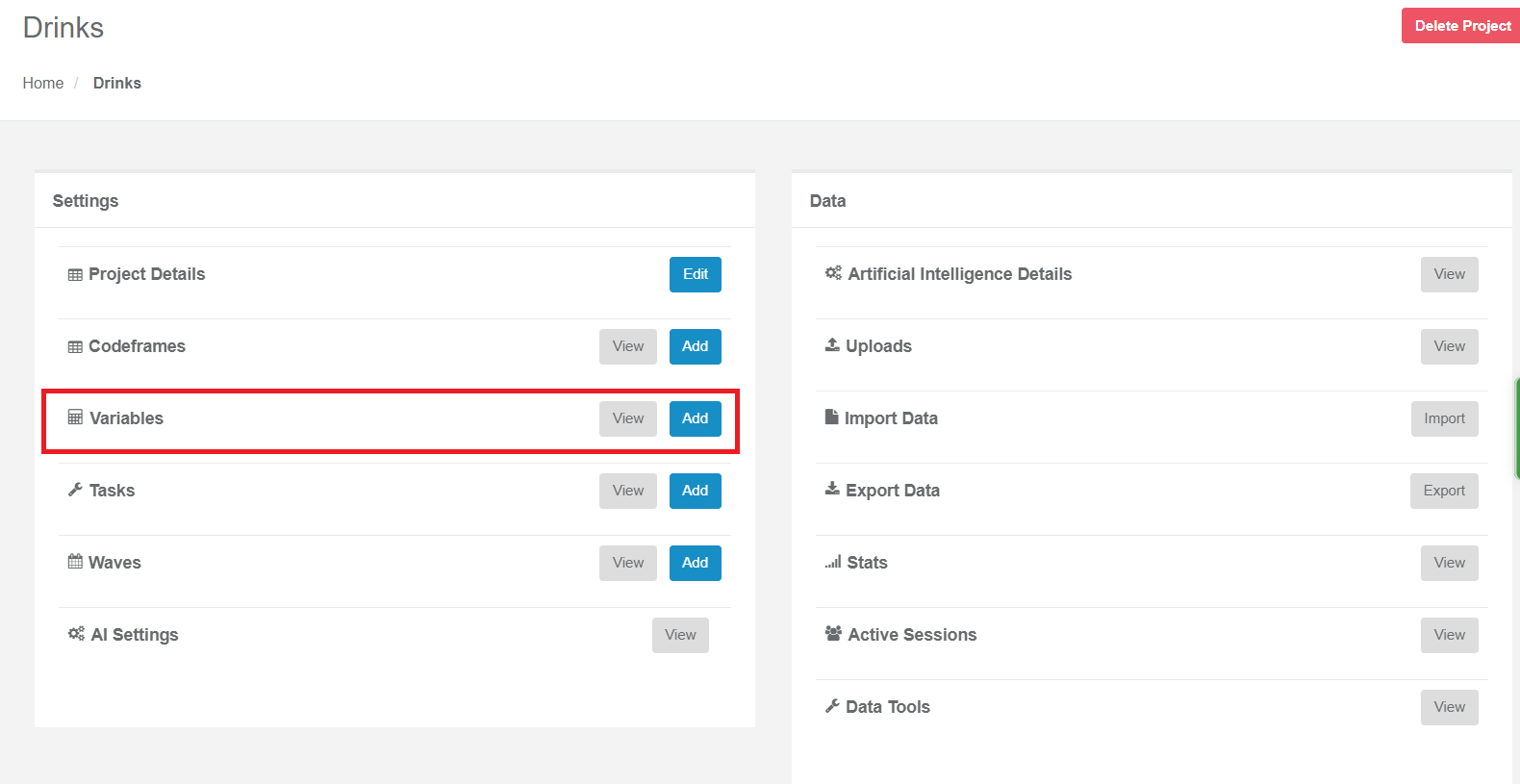
Click "Change default variable order"
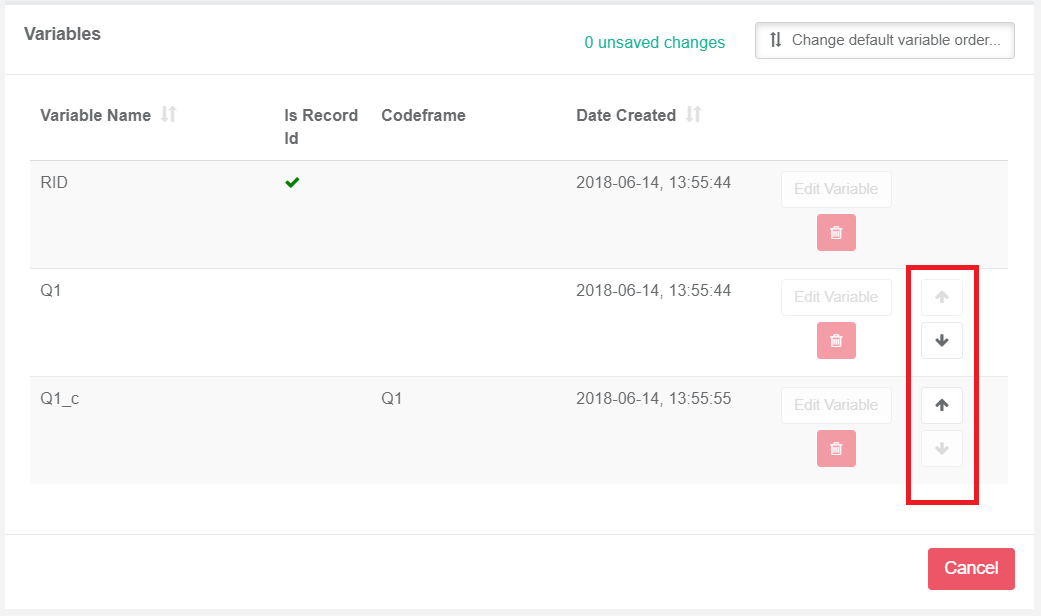
You can then adjust the order with the arrows. The RID column is always set as the first column.
Once you are happy with the changes, press "Save".
Once you are happy with the changes, press "Save".