Understanding Administrator Permissions
Introduction
Administrator permissions are permissions that are defined at a company level in comparison to project permissions, which are defined at a project level. Generally, you will want only a small number of company administrators. For most users you will want to simply assign coding permissions on various projects.
Accessing Administrators
In order to access the administrators section in Codeit, you must already be defined as a company administrator.
When you log into Codeit, you will need to access the "Administration" page from the navigation ribbon:
When you log into Codeit, you will need to access the "Administration" page from the navigation ribbon:

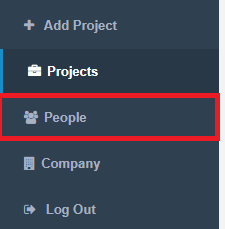
Once in the "Administration" page, you can access the administrators section by clicking "People" in the left-hand navigation menu:
Within the "Administrators" tab, you can access and modify a list of administrators

Company Administrators have full access to the entire Codeit system for a company (or sub-company).
For example, company administrators can create users, projects, sub-companies and so on.
Project Creators are a specific type of administrator that can create projects within a company or sub-company.
Permissions
|
Action |
Role | |
|
Company Administrator |
Project Creator |
|
|
Projects |
||
| Create Projects | Yes | Yes |
|
Users |
||
| Create Users | Yes | No |
|
Project Groups |
||
| Create Project Groups | Yes | No |
| Read Project Groups | Yes | No |
| Update Project Groups | Yes | No |
| Delete Project Groups | Yes | No |
|
Company Information |
||
| Read Company Information | Yes | No |
|
Logs |
||
| Read Logs |
Yes |
No |
| Write Logs |
Yes |
No |
|
Datalinks |
||
| Create Datalinks | Yes |
No |
| Read Datalinks | Yes |
Yes |
| Query Datalinks | Yes |
Yes |
| Edit Datalinks | Yes |
No |
|
Project Datalinks |
||
| Create Project Datalinks | Yes |
No |