Running the Artificial Intelligence
Enabling the AI layers
To run the Artificial Intelligence, you first need to ensure that the correct layers are enabled.
Each layer needs to be enabled for the Wave and the Task. If either the Wave or the Task is disabled for a layer, then this layer will not be run for that Wave and Task.
To learn more about how to change the settings, please read the following article on AI Settings: http://dtax.helpsite.com/articles/34115-ai-settings
Running the Artificial Intelligence on Import
The Artificial intelligence runs automatically when new data is imported. This process uses the AI settings to resolve the enabled layers, waves and tasks.
Running the Artificial Intelligence manually
Once the correct layers are enabled, you can run the Artificial Intelligence manually from the Project Dashboard.
Select "Tasks"

Then click "Run AI"

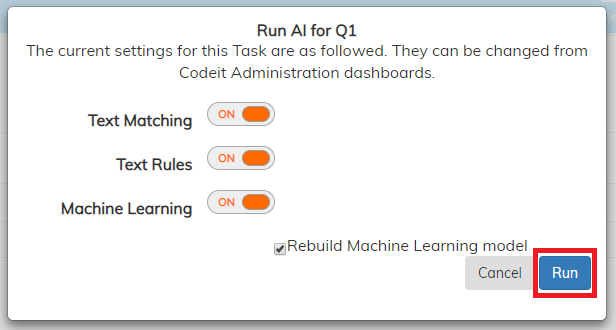
Finally, click "Run"
The correct layers will then be applied. For our Machine Learning it will launch the asynchronous process in the background. You can check the progress in Admin, on the "Artificial Intelligence Details" page from the admin Project page.
The correct layers will then be applied. For our Machine Learning it will launch the asynchronous process in the background. You can check the progress in Admin, on the "Artificial Intelligence Details" page from the admin Project page.