Accessing Verify
Introduction
This page explains how to access the Verify page within Codeit.
The Verify page must be accessed from the main project selection page.
Within this page, you can navigate to the Verify page via the following two methods:
Option 1 - Coding Mode
On the main project selection page:
- Select the "Code" button then select Project, Wave, and Task you'd like to verify from the relevant dropdowns
- Select "Verify" from the "Select coding options" dropdown
- Click the "Start Verify" button
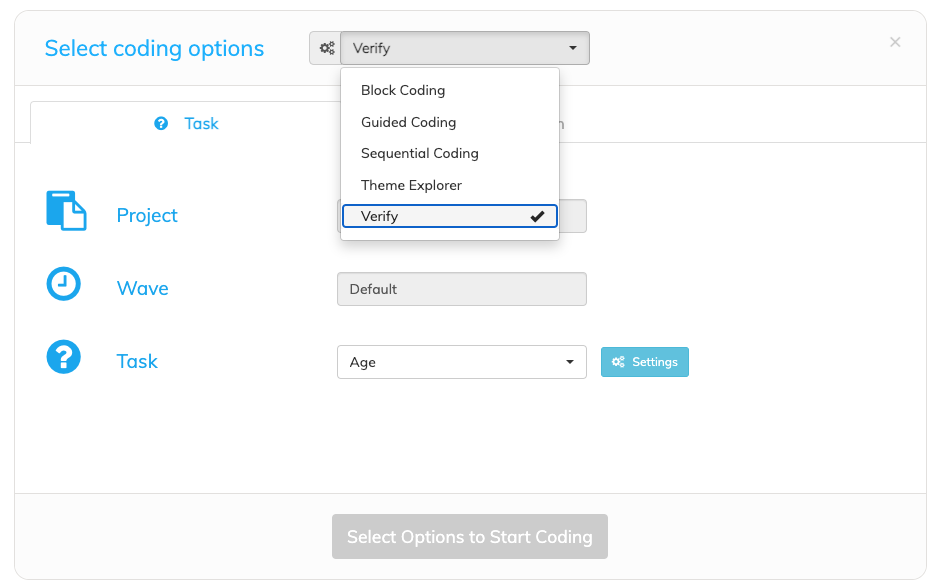
When you access Verify in this way, the system will default to loading all available coded items for the selected project and wave.
This is an efficient approach if you do indeed what to check all records.
For more fine-grained selection, you may prefer to use the "Verify Button" as explained below.
Option 2 - Verify Button
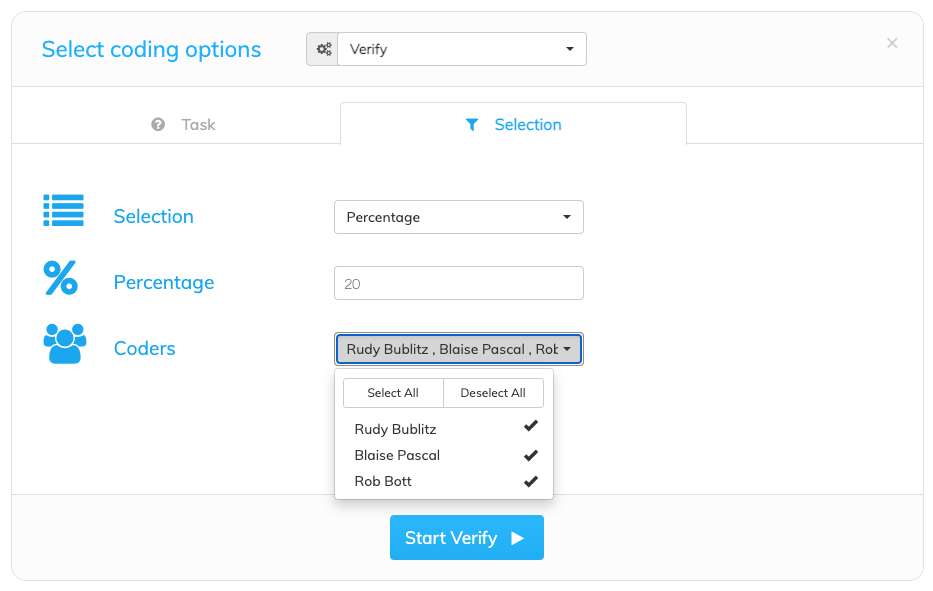
From the main project selection page, click the "Selection" tab:
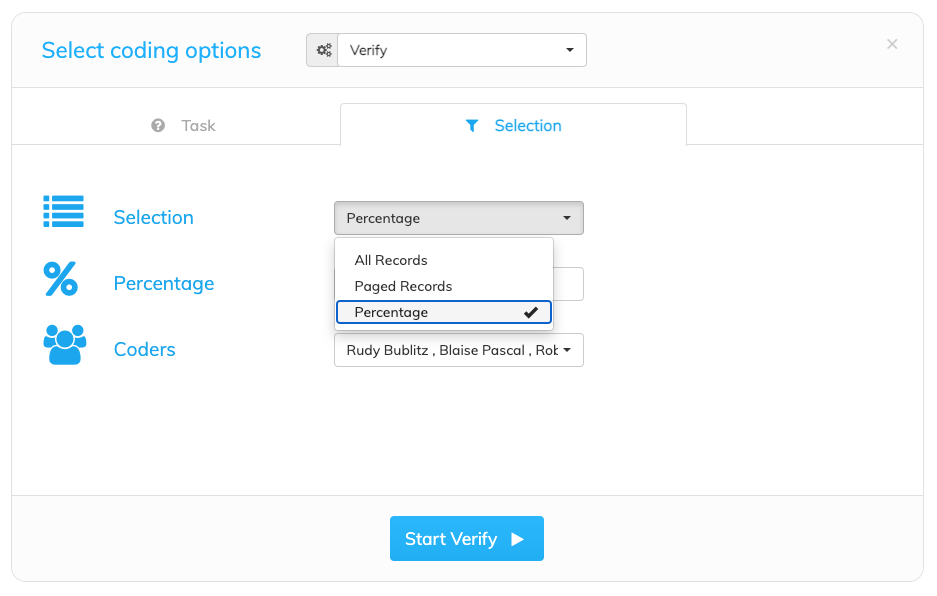 In this tab, you can select:
- All Records - default
- Paged Records - enter a specific number of verbatims to verify
- Percentage - enter a percentage of records to verify
Next, select the specific Coders whose work you wish to verify. All Coders are selected as the default.